
Clean Extra added pixles on contour of text

In the image in the following link link text
How to clean the outer contour for text , i need to remove the small added pixles , the condition for removing the pixles is that the added pixles width is less than 3 pixles ,so remove pieces which have width one or two pixles only.
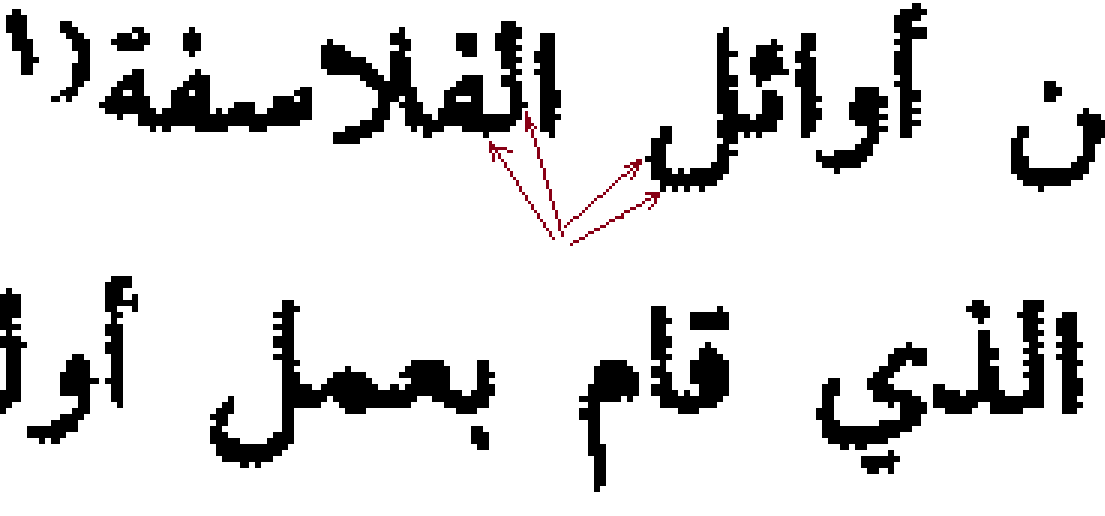
the red arrows is pointing to some pixles i need to remove from the contour i do not want to add or remove other pixles on the contour , because the geometric of the text will change , the resulted image will be passed to OCR module.
any help is appreciated
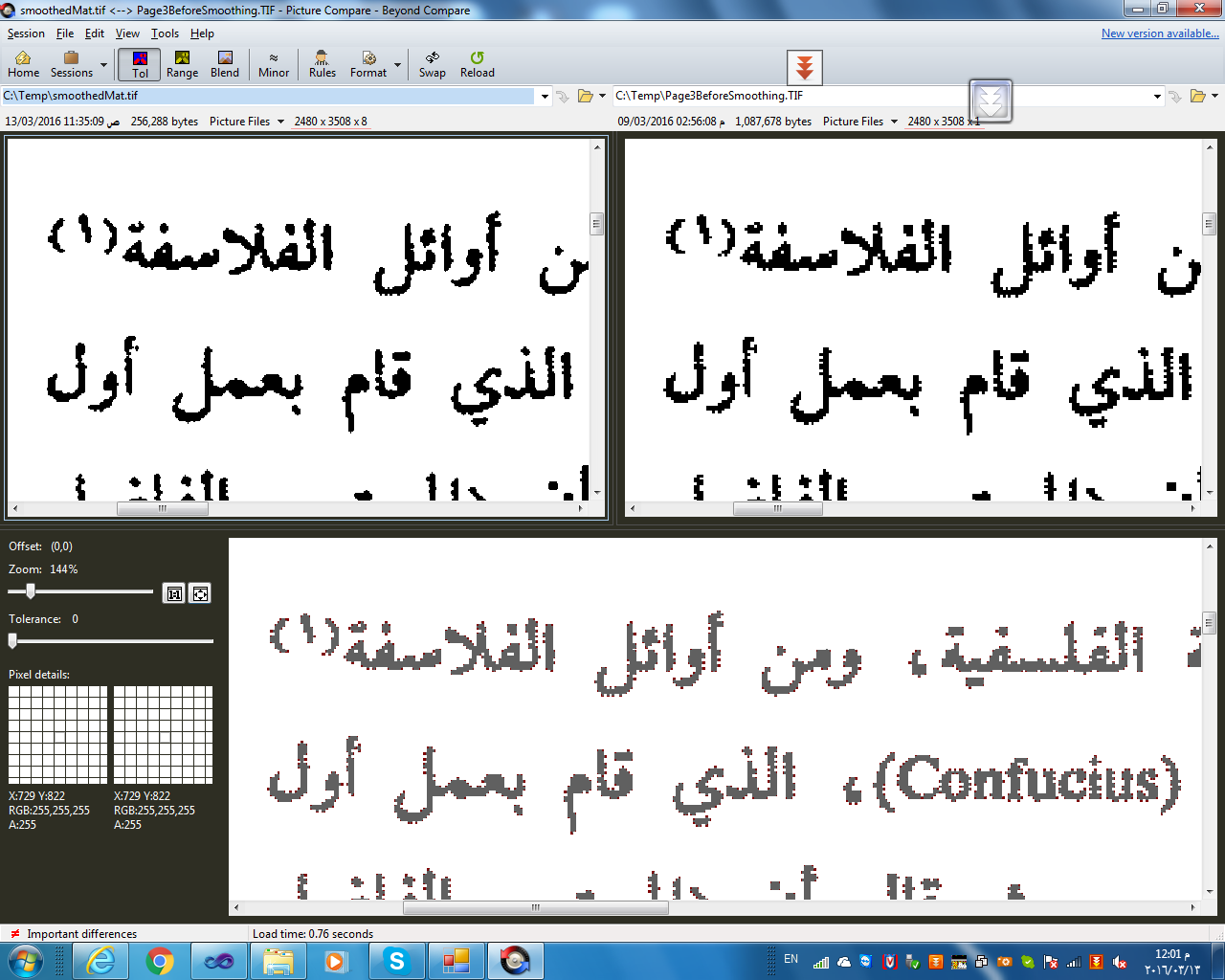 the top right image is the original image
the top left image is the smoothed image
the bottom image is the combine image to see the diffirence between the two images
the top right image is the original image
the top left image is the smoothed image
the bottom image is the combine image to see the diffirence between the two images
Have you tried morphology or blurring? I suggest a 3x3 morphology kernel.
Thankx @Tetragramm , yes i had tried the following
The result it better but not the best , because some holes are filled with black , also some regiongs are stucked together , i need to run the filter only on the outer contour of the regions (blobs) and remove only the small variation in the outer contour , i will post the result in an answer to view the result.